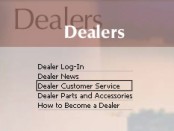
Dealer Home Page
This is a very valuable area for dealers. It is a secure area that can only be accessed by participating dealers and their authorized agents.
Once a dealer has successfully logged in, this B2B website allows the dealer to:
-
Get the latest news of interest to dealers
-
Use a variety of different specific sections directly tied to furthering the business of supporting customers, resolving problems, ordering parts, and building good customer relations.
-
Order parts and accessories.
Information on this website is dynamic and is
automatically updated based on choices the dealer makes. Any changes to any of the
areas on this website are updated directly to the website in "real-time" so the
dealer will always have the latest information. Additionally, the website uses
hyperlinks to help you move quickly to another area of the website, or to gather
additional on an item of interest. Hyperlinks are usually easy to identify because the hyperlink is
usually blue underlined text.
You can also keep an eye on the mouse
pointer. When it turns into a "pointing hand"
 you
have discovered a "hyperlink." Just click on it to "jump" to more information
about that item.
you
have discovered a "hyperlink." Just click on it to "jump" to more information
about that item.
Notice also that your B2B website knows who you are and welcomes you "by name." You can also add/change users for your company by clicking on "Click Here." Additionally, if you are looking for parts by category you can also use the "Click here to display picture detail" to view category images.

The Dealer's B2B website provides the ability for a dealer to manage consumer service calls. New Service Calls can be entered and assigned to the dealer's service technicians. Information on the dealer's customer base is also available to assist in creating new service call records.
Additionally, a list of the most commonly used parts for the spa is available "at the click of a button" so that the service technician can make sure to carry these items to the call. This ability will allow the service technician to 'up-sell' these items before the customer actually develops another problem. This feature will not only improve sales, but should also provide greater customer satisfaction and dramatically reduce trips back to the office for a commonly used part.
Completed calls can also be recorded in this area, providing customer tracking data for future use.
All of this service related information is also PDA compatible. The service technician can download service call and part data to their PDA for use on the service call. The PDA can be used to record the call completion and all other call related data, then automatically "upload" the service call data when the PDA is next connected to the dealer's computer.
When you have finished your business, simply click on the "Log Off" tab to automatically terminate your session and log off. You will be returned to the main website page.