Dealer Customer Service
Parts Selection
When you click on a Parts Category, or search
for parts using Parts Search, you will
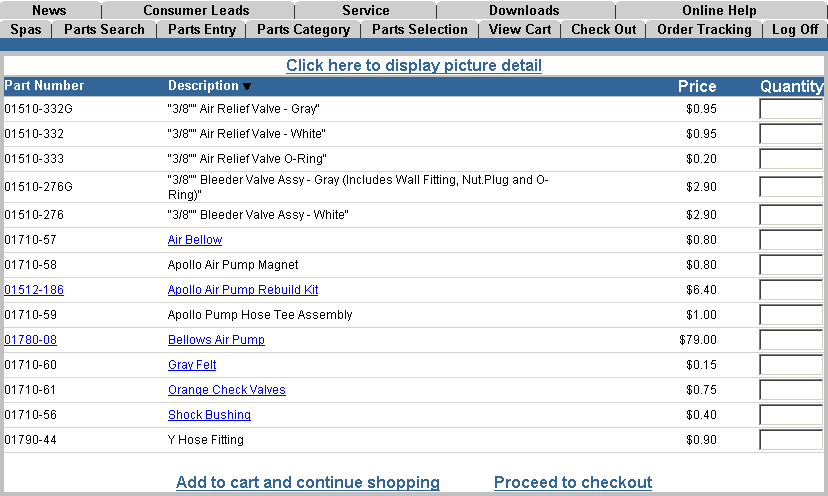
be shown a listing of all parts within that meet your criteria. The
listing below shows all air pumps available for online ordering. Some parts
have hyperlinks that provide additional information for that item. These are usually easy to identify because the hyperlink is
usually blue underlined text.
You can also keep an eye on the mouse
pointer. When it turns into a "pointing hand"
 you
have discovered a "hyperlink." Just click on it to "jump" to more
information about that item.
you
have discovered a "hyperlink." Just click on it to "jump" to more
information about that item.
When you are ready, simply enter a quantity in the "Quantity" field for all parts in this category and click "Add to my cart and continue shopping" to return to the Parts Category window to select another category and order additional parts. When you have finished shopping, simply click on "Proceed to checkout" to place your parts order.
NOTE: All items in your "shopping cart" will remain their until you place the order, or remove the item(s). This will keep you from having to start all over if you get interrupted before you complete your order. Your order is also kept separately from the order(s) of any other employee on the dealer's authorized buyer list. You can only order "Parts & Accessories" or "Spas" separately. If you want to place an order for a spa, you must place or clear your parts order first.